For SaaS & product teams
Your release passed QA. Did the customer journey?
Send simulated customers through onboarding, pricing, activation and upgrade journeys before release, then monitor the same journeys for experience regressions after every deployment.
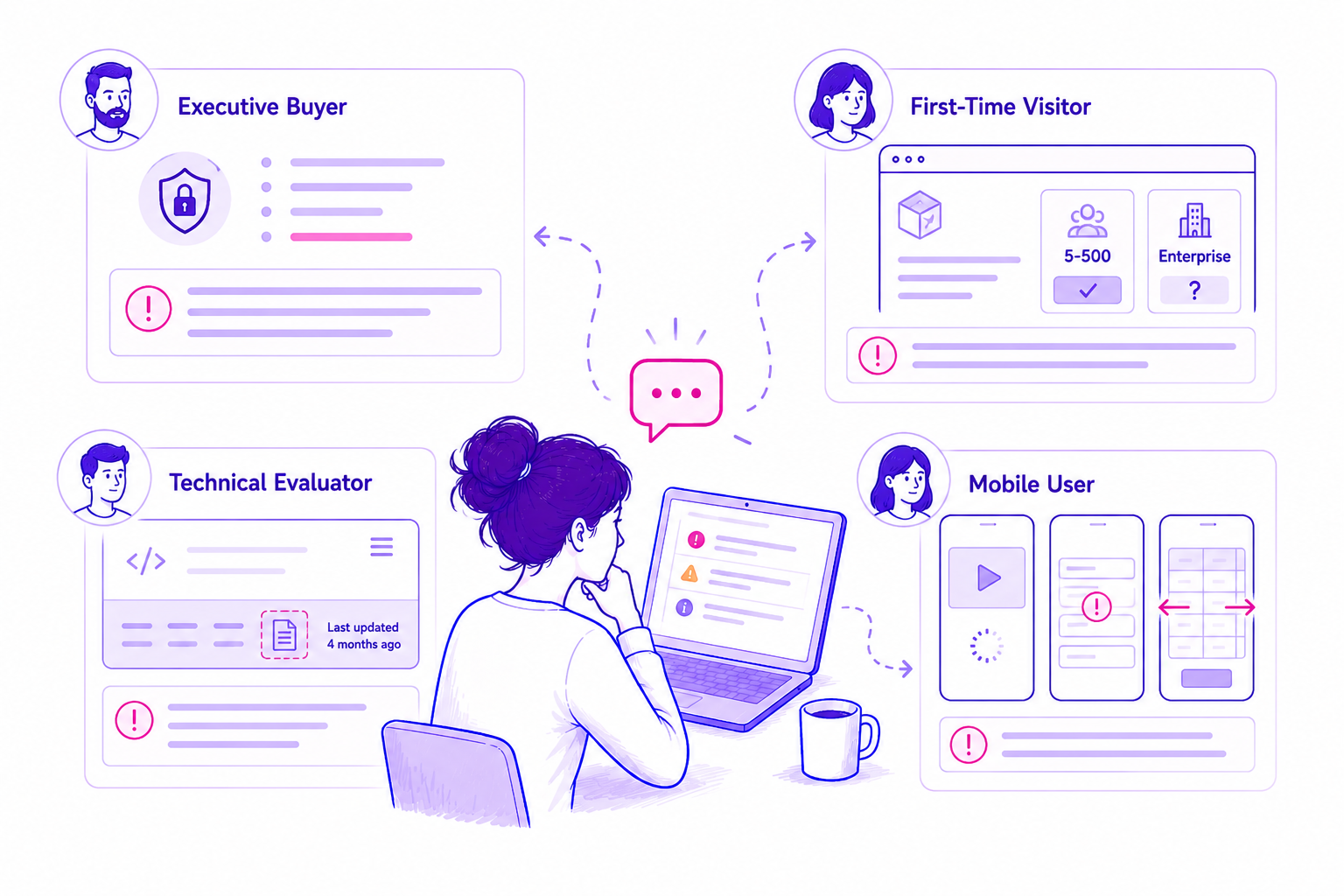
Users reach an empty dashboard with no clear first action
The setup checklist disappears after account creation, leaving first-time users unable to tell how to reach their first useful outcome.
Keep the setup path visible until the workspace reaches its first completed outcome.
The gap between functional and usable
Your tests prove the product works. PersonaQA tests whether customers can work it out.
Automated QA catches broken code. Analytics shows behaviour after launch. PersonaQA challenges the journey from the customer's perspective while there is still time to change it.
Does the feature function?
Technical tests confirm that expected states, events and components behave correctly.
What happened after release?
Funnels and events show adoption, activation and abandonment once customers arrive.
Can the customer succeed?
Simulated users expose unclear steps, missing reassurance and decisions the functional test never asks about.
Built for product moments
Test the journeys that determine adoption and retention.
Use PersonaQA wherever customers need to understand, decide or complete a meaningful outcome.
Onboarding and activation
Find missing guidance, cognitive overload and unclear routes to the first useful outcome.
Pricing and plan selection
See whether buyers can compare plans, understand limits and choose confidently.
Feature discovery
Test whether customers can find and understand new capabilities without internal knowledge.
Upgrade and expansion
Expose ambiguity around value, billing, permissions and what happens next.
Cancellation and support
Check that high-friction service journeys remain understandable and fair.
Release readiness
Challenge critical journeys on staging before customers encounter the change.
The product assurance loop
Define. Challenge. Release. Monitor.
Keep the test grounded in the intended customer outcome and preserve the methodology for meaningful comparisons later.
Define
Set the journey, customer context, device and acceptance criteria.
Challenge
Run several relevant customer perspectives through the real interface.
Review
Inspect evidence, curate priorities and decide what must change before release.
Monitor
Rerun the frozen journey and confirm regressions after deployment.
Evidence product teams can use
Move from subjective feedback to reviewable journey evidence.
Every finding keeps the customer, step, observation and likely consequence together, so design, product and engineering can discuss the same thing.
The exact point of friction
Journey steps and screenshots show where understanding or progress changed.
Agreement across perspectives
Repeated barriers are consolidated while disagreements remain visible.
A proportionate next step
Recommendations connect directly to the evidence instead of generic best practice.
From journey to product decision
Give the team the evidence behind the finding.
The report keeps customer reactions, affected journey areas and recommended action together, making it easier to move from "we think this is confusing" to a reviewable product decision.
Existing PersonaQA SaaS report view
Journey monitoring
Know when a release changes the customer outcome.
Monitor a small set of commercial journeys weekly or on deployment. PersonaQA alerts only when the methodology is comparable and a suspected regression is confirmed by rerun.
- A setup step disappears on mobile.
- New copy makes a plan harder to choose.
- An authentication change blocks progress.
- The journey gains unexpected steps or uncertainty.
- The customer's completion decision changes.
Website assessments
Start with the lens your product needs.
Use a Snapshot for a focused diagnosis, then turn the most important journey into ongoing assurance.
Customer Behaviour
Understand hesitation and the customer reasoning behind activation or purchase decisions.
- Motivation and objections
- Trust and comprehension
- Prioritised journey fixes
Search & AI Credibility
Check whether discovery systems understand the product, audience and proof.
- Intent fulfilment
- Entity and evidence signals
- AI visibility readiness
UX & Accessibility
Find interface and accessibility barriers across important product journeys.
- Navigation and forms
- Mobile and cognitive load
- Evidence mapped to standards
QA the journey before your customers do.
Run a focused Website Assessment or define a critical product journey for repeatable pre-release assurance.